ONESOURCE
Workpapers Help
Manage Attributes
The Attribute Management page gives users with permissions the ability to control workpaper attributes. If you have permissions, you can configure whether attributes are included and required.
See the following:
Include Attributes
When you include attributes, you see the dataset attribute in the following places in Workpapers:
- Workpapers grid column
- Add a workpaper
- Edit a workpaper
- Save to Platform As (Add-in)
To include dataset attributes:
- Select the gear icon, and then select Attribute Management.

- Select the Include check box, and then select Save.
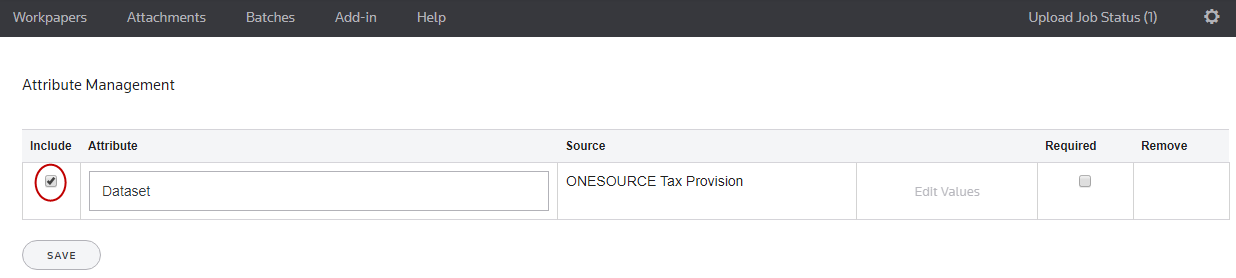
To exclude dataset attributes, clear the Include check box.
- Note the green success banner.

Require Attributes
You can configure datasets so they are a required field when you are completing tasks on the following pages:
- Add a workpaper
- Edit a workpaper
- Save to Platform As (Add-in)
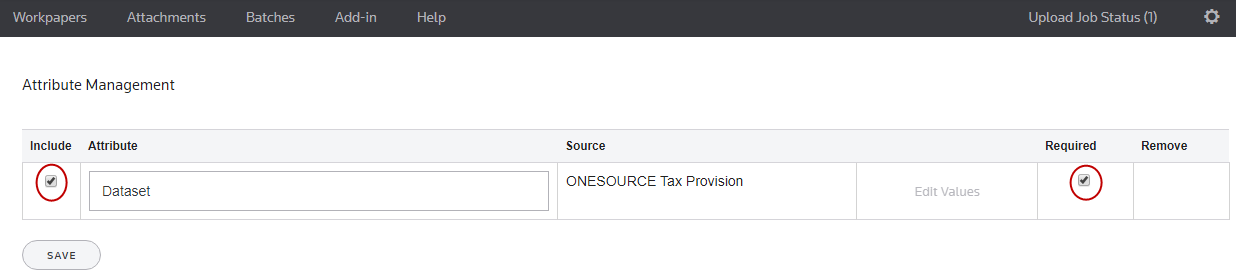
To make the dataset attributes a required field:
- Select the gear icon, and then select Attribute Management.
- Select Include and Required, and then select Save.